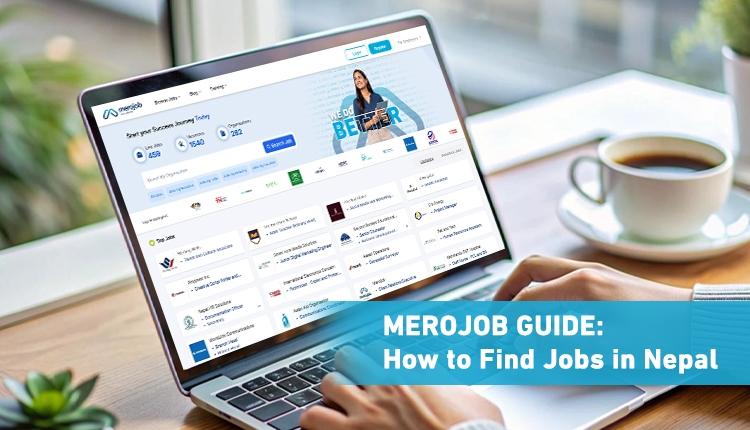
Merojob Guide: How to Find Jobs in Nepal
Finding a job can take time. You may have to search through many vacancies, check requirements, prepare your CV, apply for jobs, and wait for responses. It can also be difficult to know which jobs are a good match for your skills and experience.
Merojob is one of the platforms jobseekers in Nepal can use to search for job opportunities. Since 2009, it has connected more than 1 million jobseekers with 40,000 employers across different industries and career levels.
Whether you are a fresher searching for your first job, a professional planning your next career move, or someone looking for better opportunities, having a Merojob profile can help employers find and evaluate you more easily. It also allows you to apply for jobs faster and stay connected to opportunities that match your skills and experience.
This guide explains how you can use Merojob to search for jobs, build your profile, apply for vacancies, and keep track of your applications.
What Can You Do on Merojob?
As a jobseeker, you can use Merojob to:
- Create a jobseeker profile
- Search for job vacancies
- Filter jobs based on your preferences
- Check job descriptions and requirements
- Apply for suitable positions
- Track your applications
- Show recruiters that you are actively looking for work
- Find jobs that match your profile
- Read career and job preparation content
- Explore training and career development opportunities
Merojob's current platform also includes a jobseeker dashboard, personalized job matches, an updated profile, and application tracking.
How to Register on Merojob
If you do not already have an account, the first step is to create a jobseeker account. Go to Merojob and choose Jobseeker when registering. The registration process is free for jobseekers.
Use an email address and phone number that you regularly check. Employers may contact you using the information provided in your profile. After registration, log in to your account and start completing your profile.
Complete Your Jobseeker Profile
Your profile is an important part of your job search because it gives employers information about your education, skills, experience, and career preferences.
Do not leave your profile half completed. Depending on your background, include information such as:
Personal Information
Add accurate contact and personal details. Make sure your phone number and email address are correct and accessible. If an employer wants to contact you about an interview or another step in the hiring process, outdated contact information can cause problems.
Job Preferences
Your job preferences help describe the type of opportunity you are looking for.
Choose relevant:
- Job categories
- Job level
- Employment type
- Specializations
- Other career preferences
Be realistic when selecting your preferences. If you are a fresher, choose entry-level opportunities that match your education and skills rather than selecting every possible job category.
Education
Add your academic qualifications clearly. Include relevant details such as:
- Degree or qualification
- Field of study
- Institution
- Board or university
- Graduation year
- Marks or GPA where applicable
If you are still studying, make sure your current education is shown correctly.
Work Experience
If you have previous work experience, add it to your profile. Describe your role, responsibilities, and relevant achievements clearly.
You can also include relevant internships, part-time work, freelance work, or other experience where appropriate. Freshers should not worry if they do not have full-time experience. Education, projects, internships, training, and skills can still help demonstrate what they can offer.
Skills
Add skills that are relevant to the jobs you want. For example, depending on your field, these could include:
- MS Excel
- Accounting
- Digital Marketing
- Python
- Customer Service
- Graphic Design
- Sales
- Project Management
Do not add skills simply because they are popular. Your profile should accurately represent what you can do.
Training and Certifications
If you have completed professional training or certifications, add them to your profile. These can help show additional knowledge beyond your formal education.
Languages and Other Information
If relevant, add the languages you know and other professional information requested in your profile. The main rule is simple: keep your information accurate and up to date.
Search for Jobs
Once your profile is ready, you can start searching for vacancies. You can search using a job title, skill, or other relevant term.
For example:
- Accountant
- Software Developer
- Marketing Officer
- HR Assistant
- Graphic Designer
- Civil Engineer
You can then narrow your results using available filters such as job category, job level, education, employment type, and industry. Merojob's current jobseeker guidance also recommends using relevant filters to find suitable vacancies.
Choose the Right Filters
Filters are useful when you have a specific type of job in mind. For example, if you are looking for an entry-level marketing position in Kathmandu, you can narrow your search instead of browsing every vacancy.
Consider filters such as:
Job category: Choose the area you want to work in.
Job level: Select entry-level, mid-level, senior-level, or another relevant level.
Education: Check opportunities that match your qualification.
Employment type: Look for full-time, part-time, contract, or other suitable options.
Industry: Narrow the results to industries that interest you.
Using filters does not mean you will find the perfect job immediately. It simply makes the search more manageable.
Read the Job Description Carefully
Before applying, take a few minutes to read the vacancy properly.
Check:
- Required education
- Skills
- Work experience
- Job responsibilities
- Location
- Employment type
- Application deadline
If the requirements match your background, you can consider applying. This simple step can help you avoid spending time on jobs that are not suitable for you.
Apply for Suitable Jobs
Once you find a relevant vacancy, you can apply through Merojob. Before submitting your application, check your profile and make sure your information is up to date. Your education, experience, skills, and training should accurately reflect your current background.
Try to focus on relevant applications rather than applying to a large number of jobs without checking the requirements.
Keep Track of Your Applications
When you apply for several jobs, it can be hard to remember where you applied. Merojob provides tools that allow you to check your application activity and status. This helps you keep track of the jobs you have applied for and see updates when available. Regularly checking your application status can also help you stay organized during your job search.
Turn On Actively Seeking Job
If you are currently looking for work, Merojob has an Actively Seeking Job feature. This lets recruiters know that you are actively available for job opportunities.
To use it, log in to your jobseeker account and enable the relevant option from your dashboard. Merojob's active status remains for seven days and needs to be enabled again after that period if you are still searching. This feature is particularly useful when you are actively available and want recruiters to know that you are open to opportunities.
What Else Can You Find on Merojob?
Merojob is mainly used for job searching, but jobseekers can also find career-related resources on the platform.
These include:
- Career advice
- Job preparation content
- Training opportunities
- Career development resources
- Information for freshers and experienced professionals
If you are not sure what to do next in your career, these resources can help you understand different career options and prepare for future opportunities.
How Often Should You Use Merojob?
There is no need to spend the entire day searching for jobs. Instead, make it a regular habit.
You can:
- Check new vacancies.
- Review jobs that match your preferences.
- Read the requirements.
- Apply to suitable positions.
- Check your application status.
- Update your profile when needed.
- Continue improving relevant skills.
Regular and focused searching is more useful than applying randomly to a large number of jobs.
Frequently Asked Questions About Merojob
What is Merojob?
Merojob is a leading job portal in Nepal that helps jobseekers search for vacancies, connect with employers, and manage their job applications online. Is Merojob free for jobseekers?
Yes. Jobseekers can register, search for jobs, and apply for vacancies without paying a job application fee.
How do I create a Merojob account?
Go to Merojob's registration page, choose the jobseeker option, register using your details, and complete your jobseeker profile.
How do I find jobs on Merojob?
Search using a job title or relevant keyword and use filters such as job category, industry, education, job level, and employment type to narrow the results.
How do I apply for a job on Merojob?
Open a suitable vacancy, read the requirements and responsibilities, make sure your profile is updated, and submit your application.
Can freshers apply for jobs on Merojob?
Yes. Freshers can search for entry-level opportunities and highlight their education, projects, internships, skills, and training in their profiles.
How do I check my Merojob application status?
Log in to your Merojob account and open the My Status section to see the jobs you have applied for and their current status.
What does “Shortlisted” mean on Merojob?
It means the recruiter has considered your application suitable for the next stage of the recruitment process. The company will contact you directly if you are invited for the next step.
What is Actively Seeking Job?
It is a feature that lets recruiters know you are currently looking for work. The status remains active for seven days before it needs to be enabled again.
Can I use Merojob on my phone?
Yes. You can use the Merojob mobile app to search for jobs, apply, and check your application status.