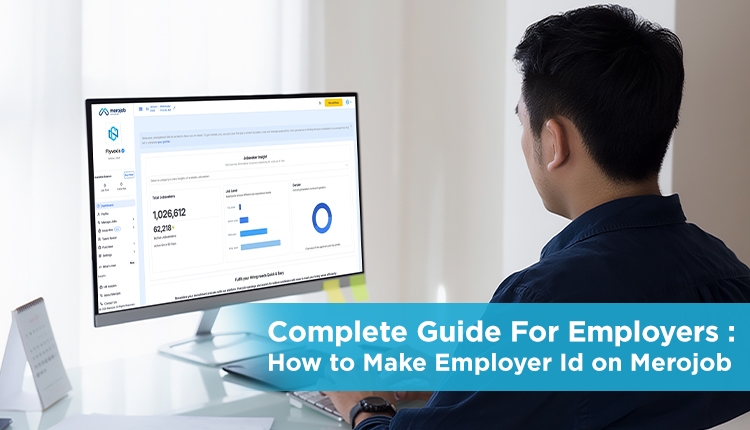
Hiring the right talent is most important for the success and growth of any organization. Merojob, a leading online job portal in Nepal, offers employers a trusted and highly efficient platform to post jobs, manage applications, and connect with qualified candidates across multiple industries.
Creating an Employer ID on Merojob is the first step toward streamlining your recruitment process and building a strong employer presence online.
Here is the step by step employer guide that provides detailed guidance on creating an Employers account on Merojob, verifying your organization, purchasing jobs, posting packages. The guide helps you navigate the Merojob employer dashboard whether you are a small business, a corporate organization, or a recruitment agency and begin hiring faster with tools such as AI-generated job descriptions, Top Job and Hot Job postings, and the Insta Hire services.
Step by Step: Create an Employer Account on Merojob
Step 1. Go to the Merojob Registration Page
Open your web browser and visit the Merojob registration page:
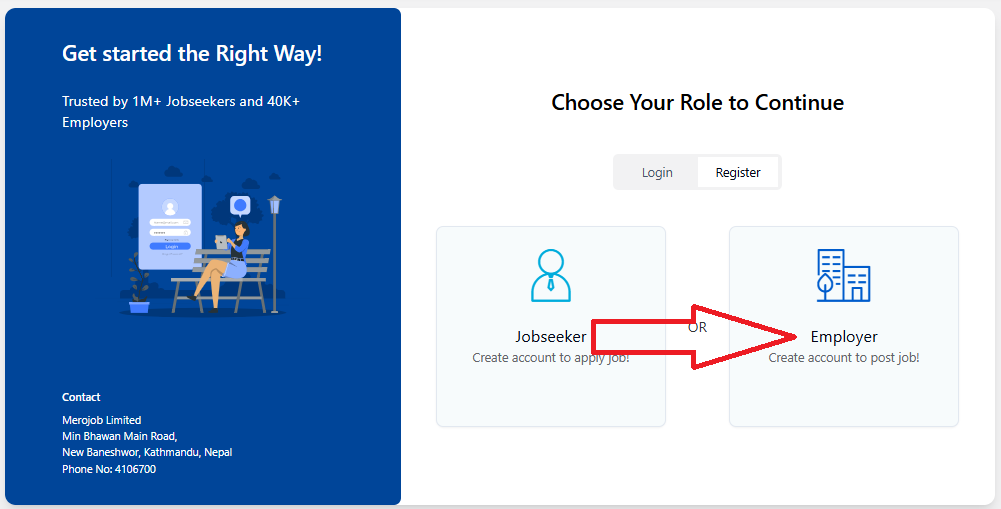
Step 2. Choose Your Role
On the registration page, you’ll see options like:
- Jobseeker for people looking for jobs
- Employer for companies or recruiters. Select “Employer” to continue.
Step 3. Fill in Company Details
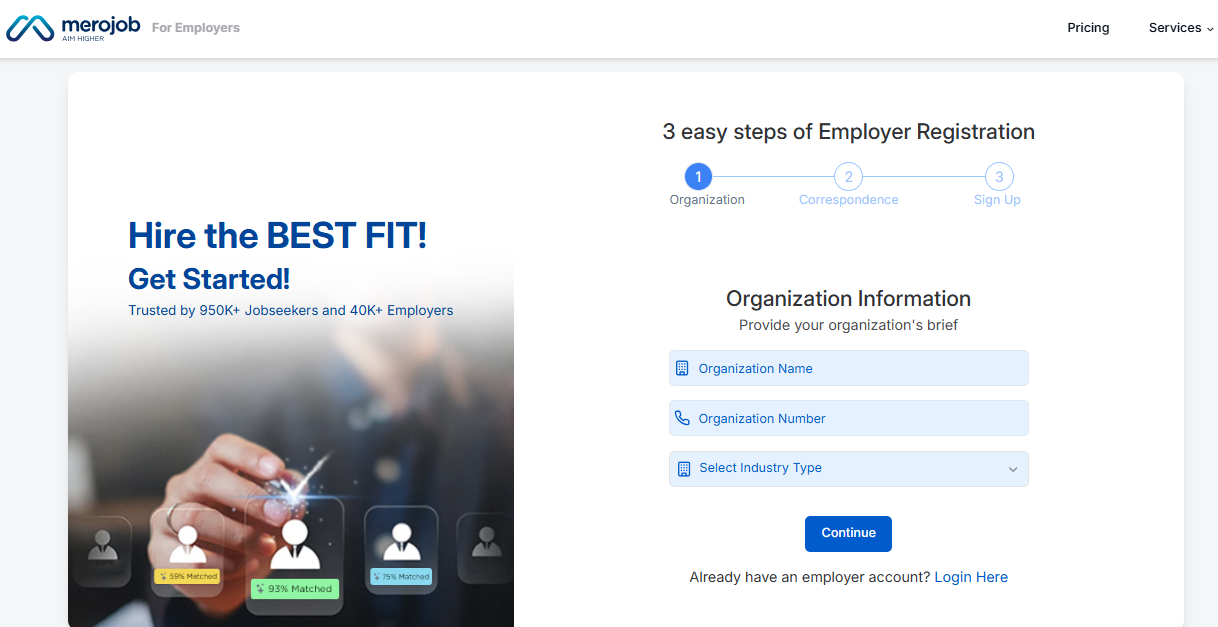
After selecting Employer, you’ll need to fill out your company’s details, such as:
- Organization Name
- Organization Number
- Select Industry Type
Click Continue
Step 4. Correspondence Details
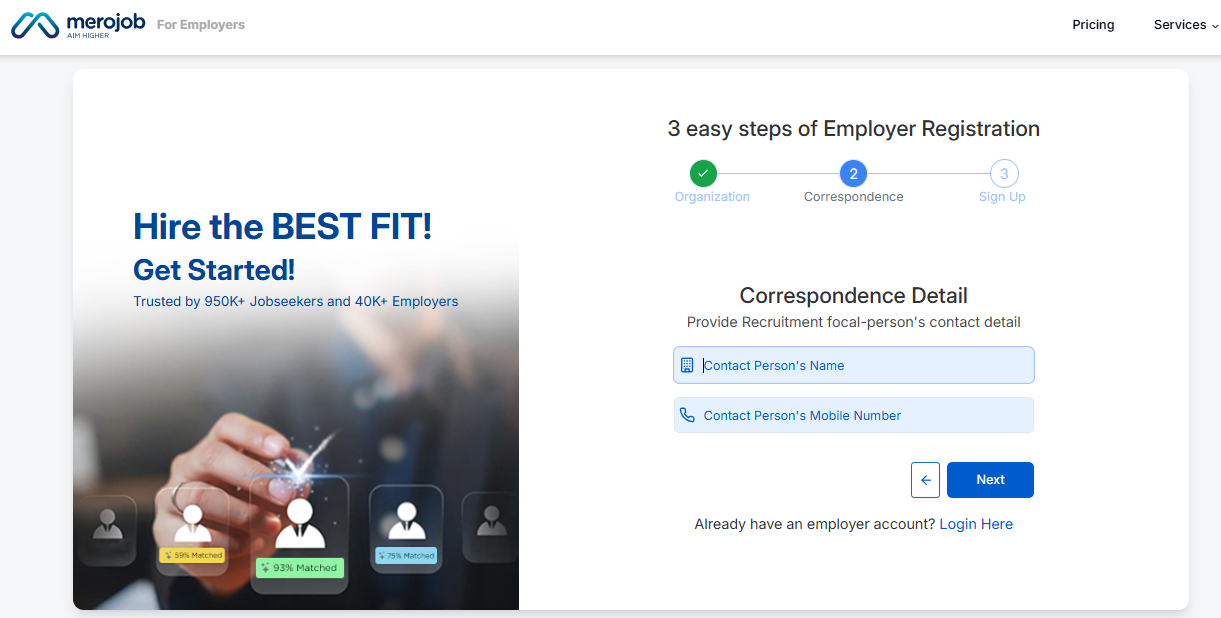
- Contact Person’s Name
- Contact Person’s Mobile Number
Click Next
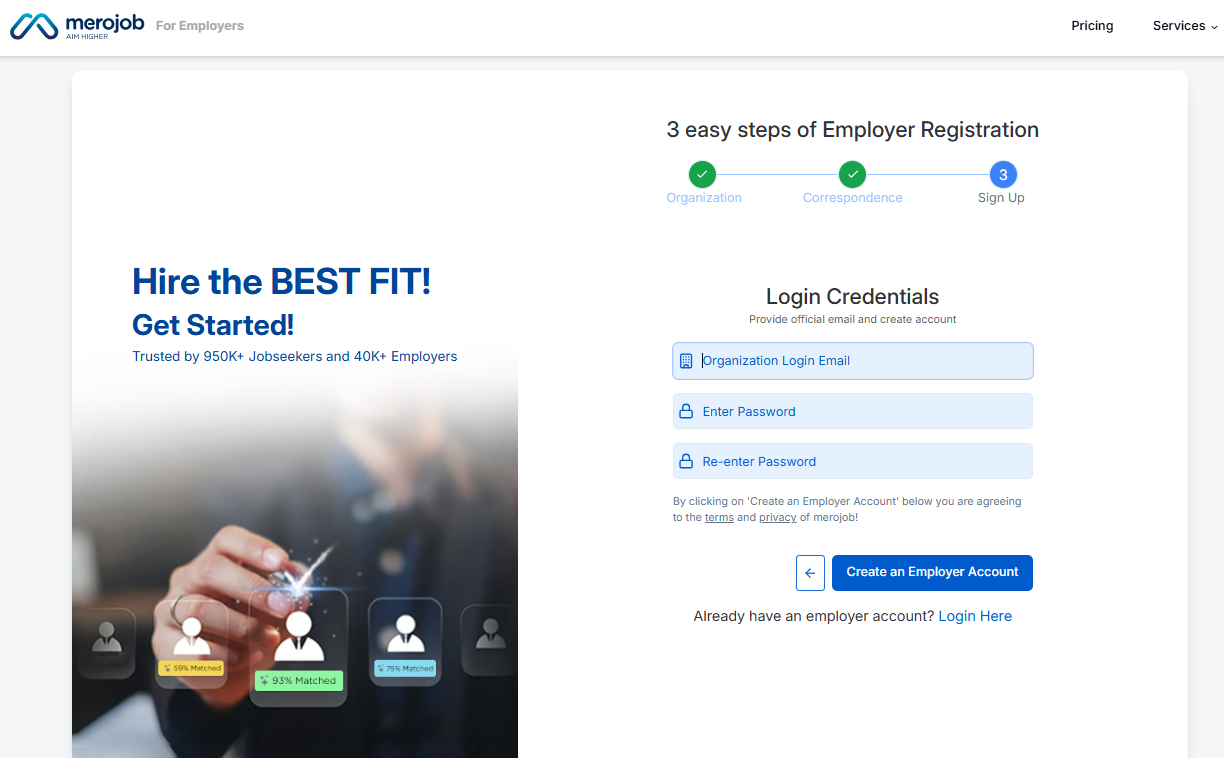
Step 5. Fill in the login credentials
- Organisation Login Email
- Enter Password
- Re-enter Password
Click Create an Employer Account
Step 6. Complete Company Profile
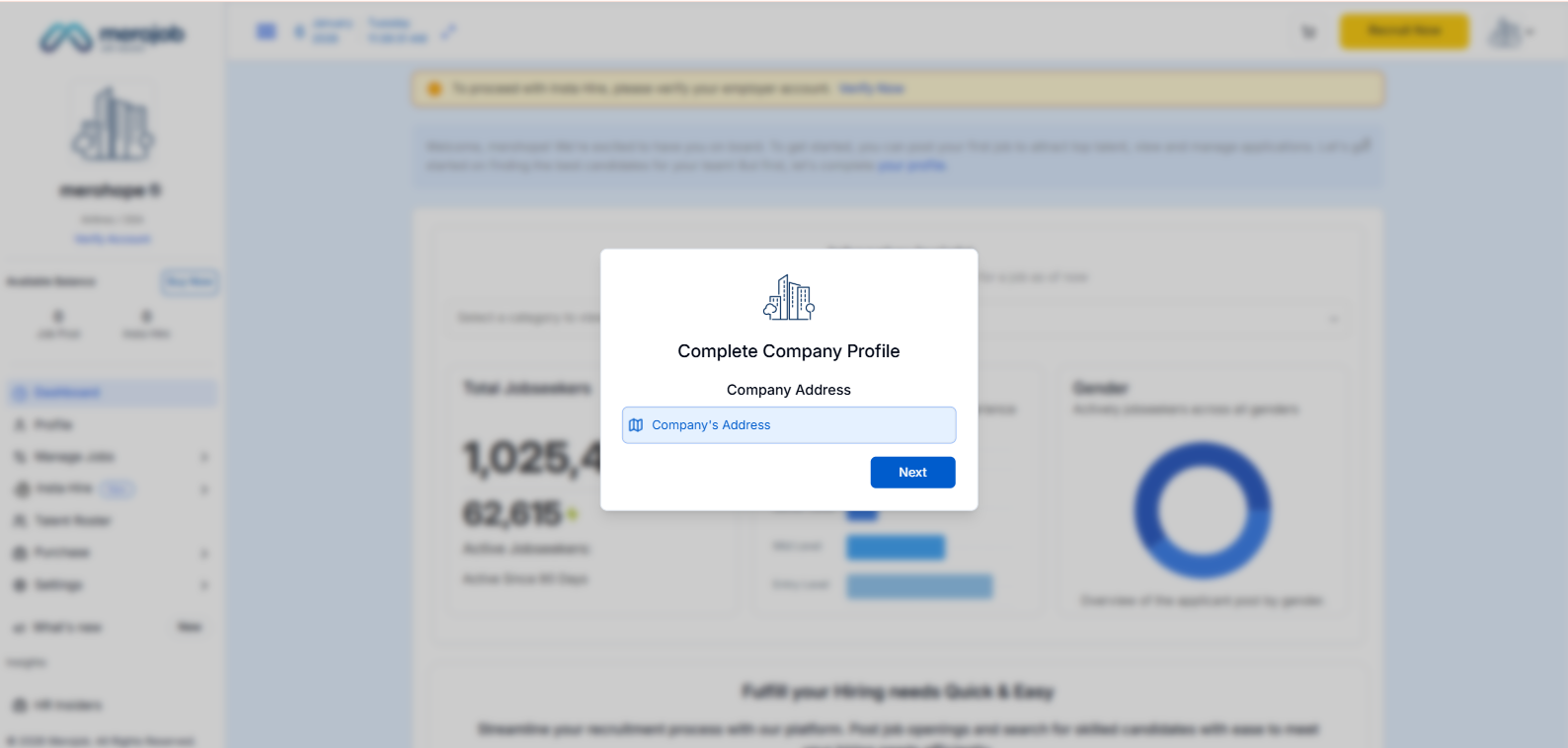
When You Click Create an Employer Account, you Redirect to this page, where you see the popup Complete Company Profile. Here you enter.
- Company Address
- Click Next.
Step 7. Add Organization Size
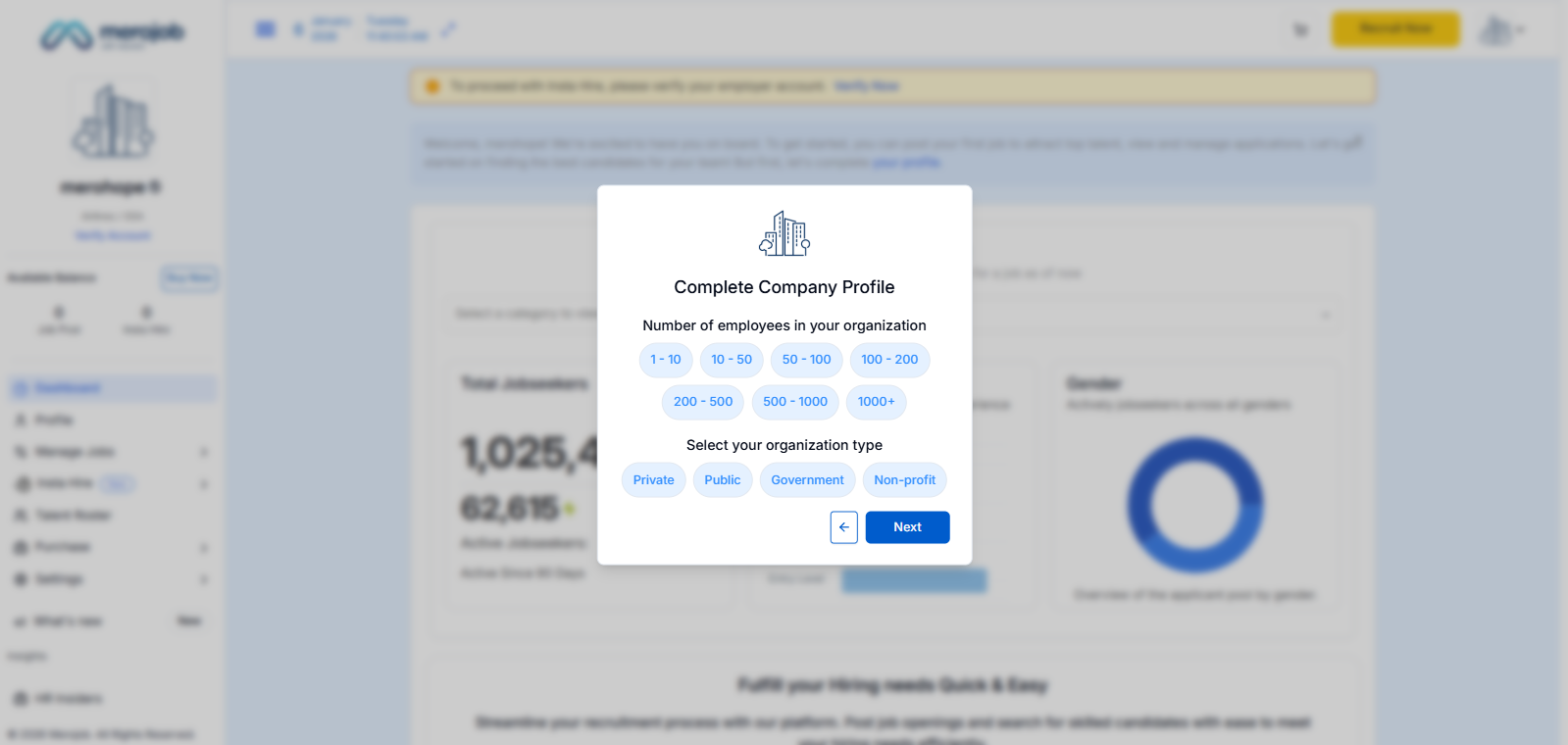
When You Enter Company Address then click Next you redirect to this popup. Where you select How many employees in your organisation.Then
Step 8. Upload Organization Logo
After entering your organisation employees details. Here upload your organisation logo.
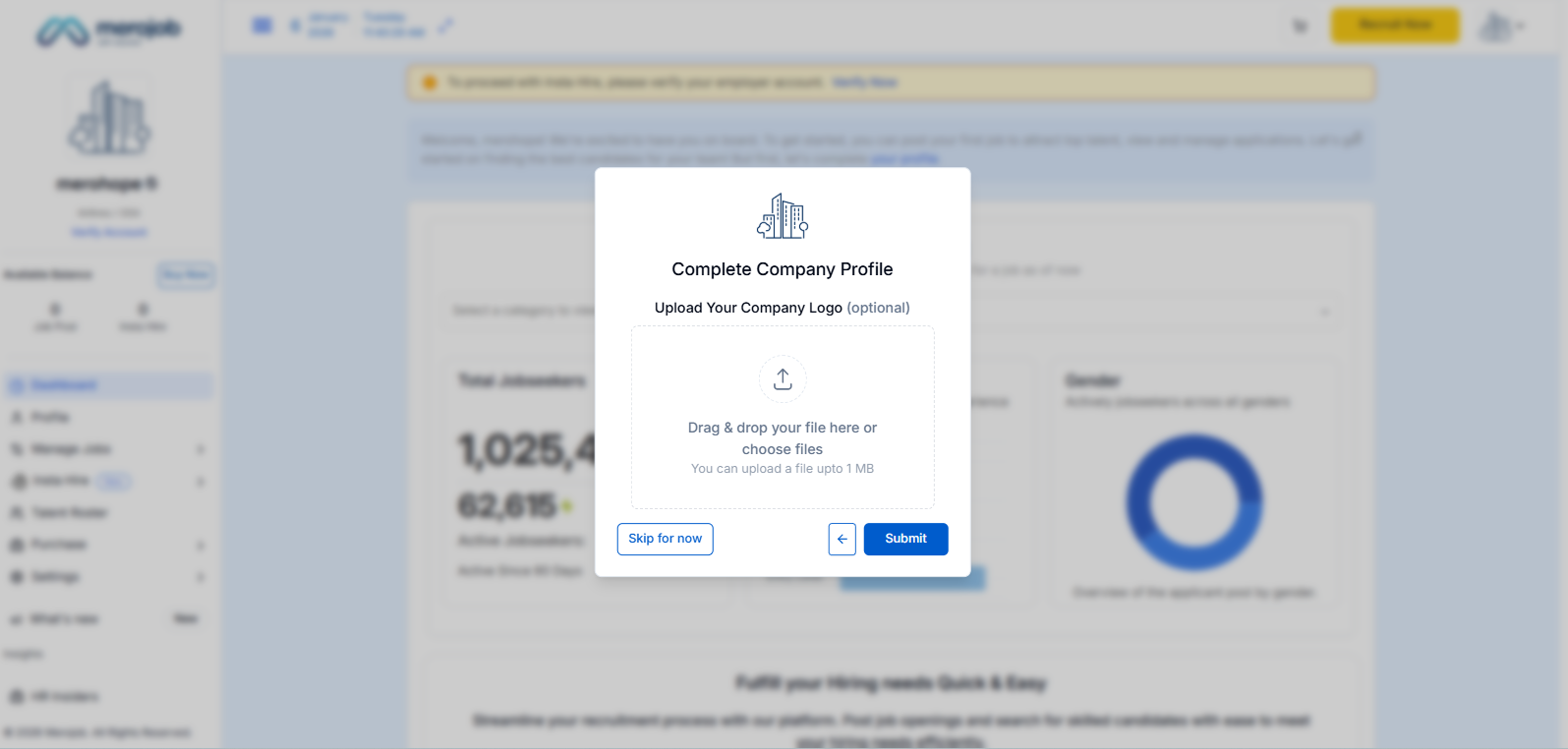
When you submit your organisation logo you redirect to this popup where you see your organisation logo. Then press Explore Button.
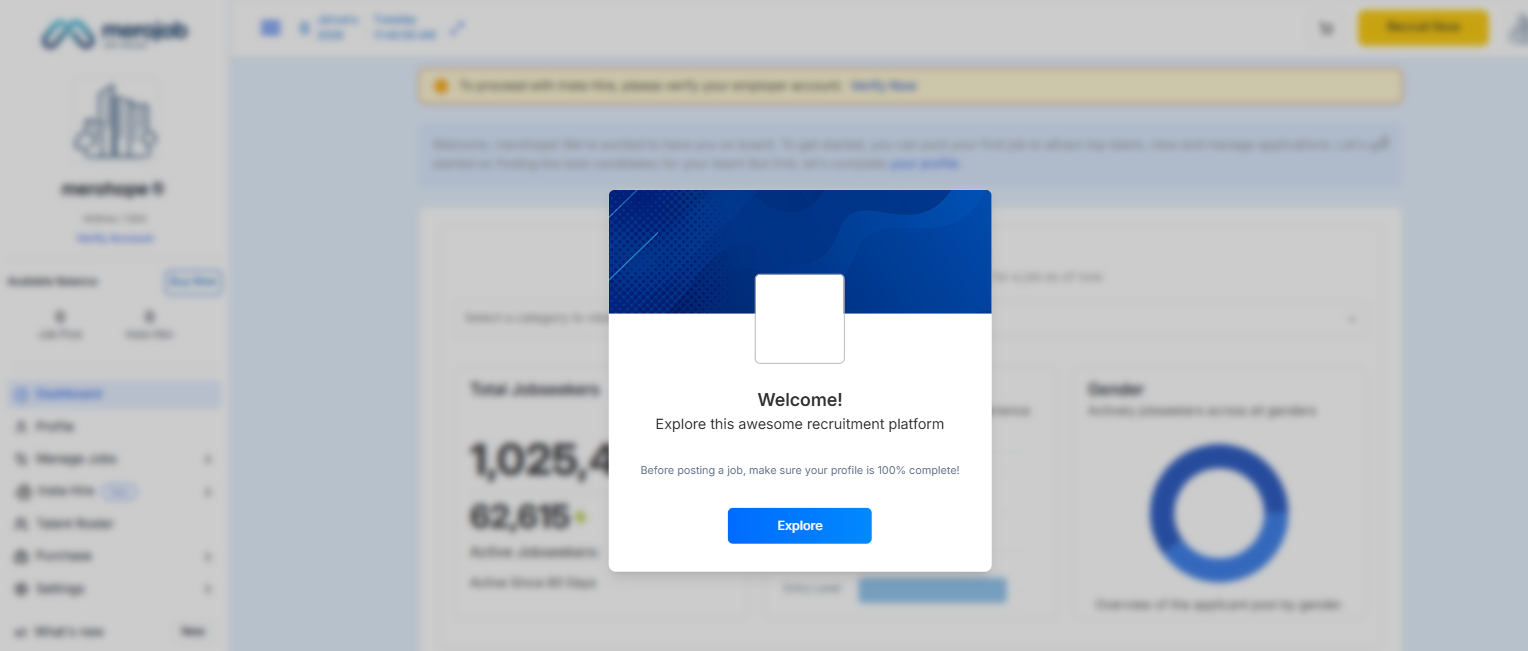
Step 9. Employer Dashboard Overview
When you press the Explore Button you get redirected to the dashboard.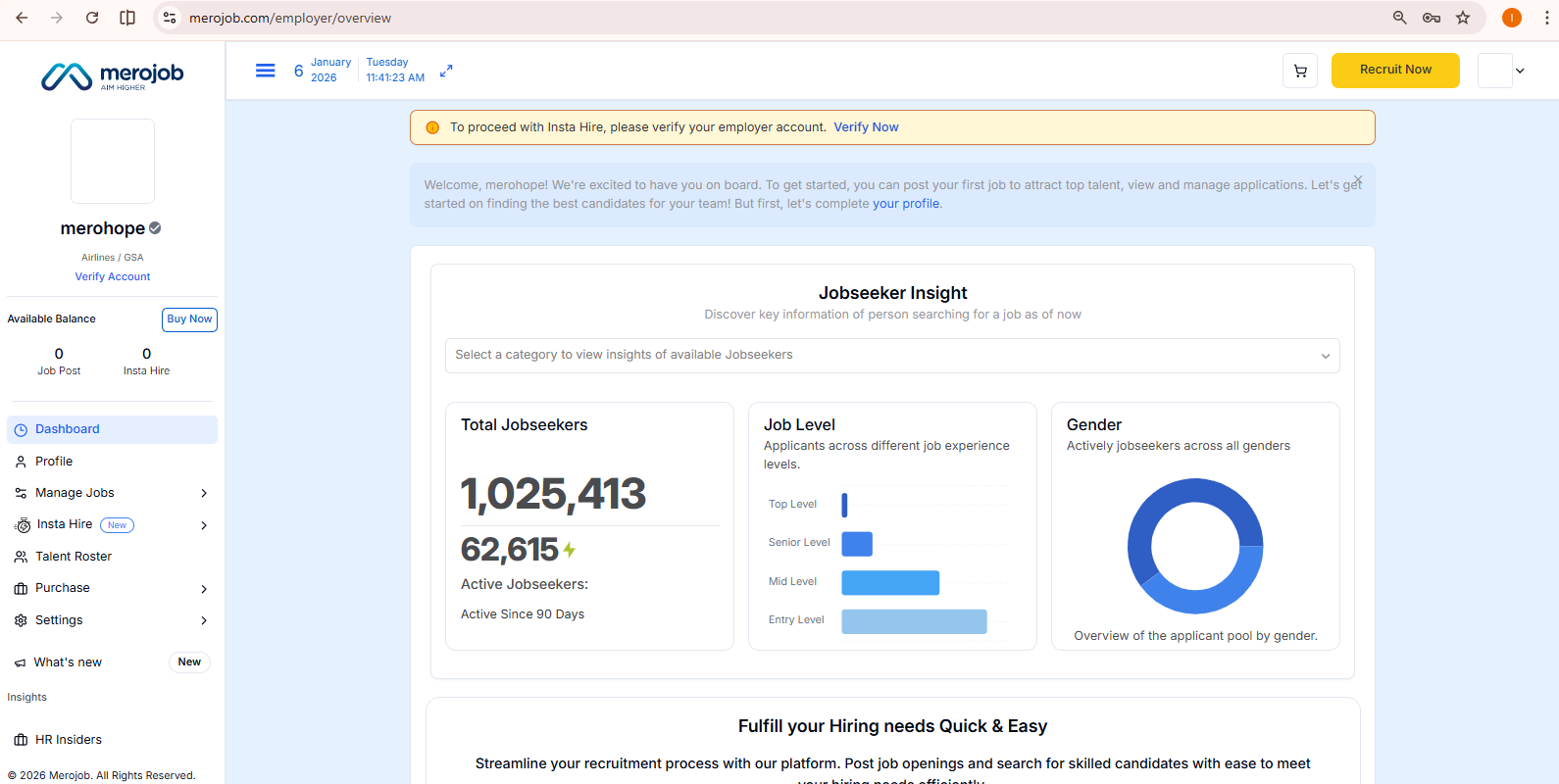
Step 10: Organization Verification
In the top of the dashboard you see the verify Now popup click Verify Now.

Here you can see the organization verification details form, fill all the details below and then click the save & continue button.
- Legal Organization Name, Organization Type
- Official Phone Number, Tax Registration/PAN/VAT Number
- Organization Head Name, Designation
- Email, Mobile Number
- Registered Address, Billing Address (for Tax Invoice)
- Google Map Location Link
Click Save & Continue button
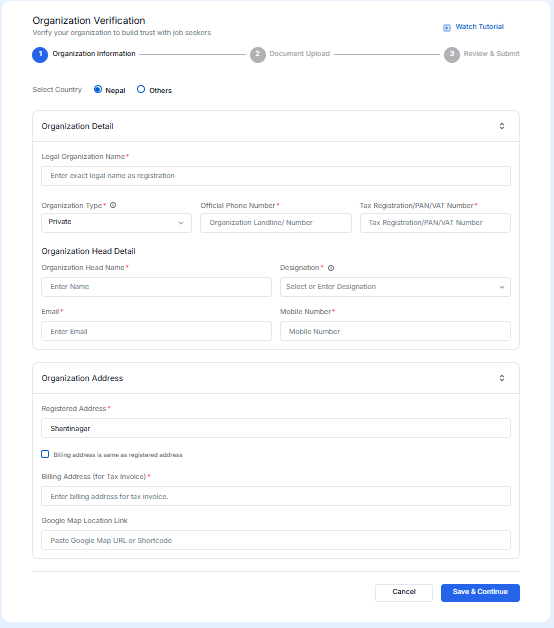
Step 11: Upload Verification Documents
After clicking the save & continue button you redirect to this page where you need to upload organisation registration documents.
- Organization Registration Certificate
- Tax, Pan, Vat registration document and
- office exterior and interior pictures.
- Click Save & Continue.
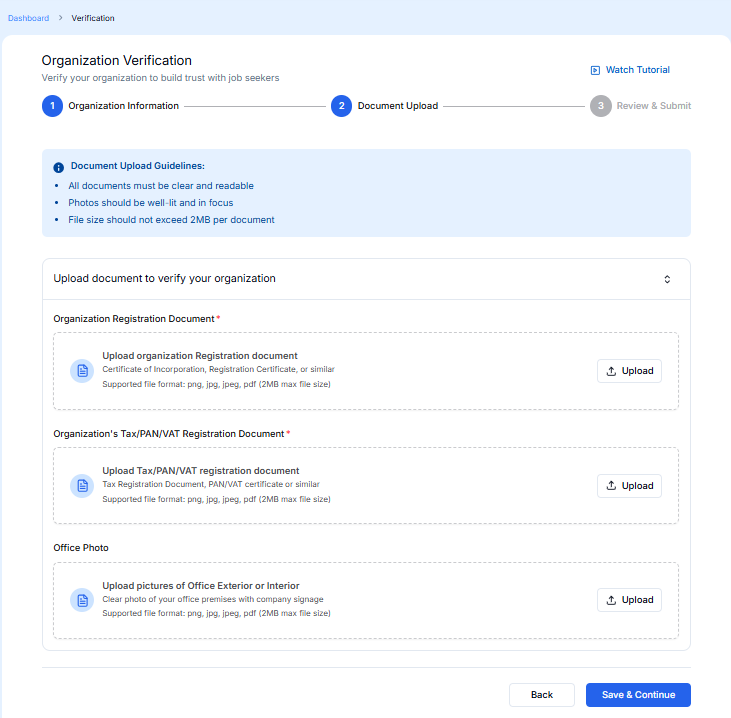
Step 12: Review and Submit for Verification
After save & Continue you redirect to this page here you see review of your organisation details if all details are accurate then press Submit for Verification button.
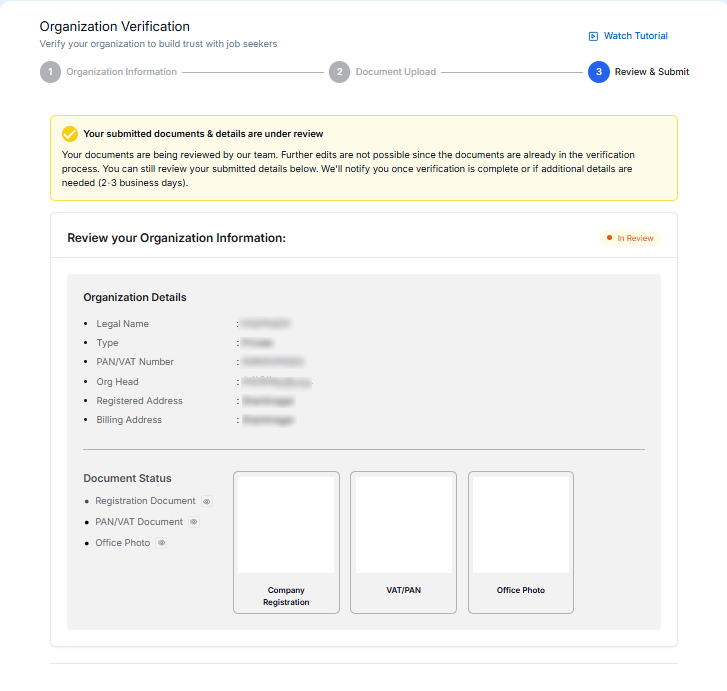
When you click the Submit for verification button you redirect to this popup. Where you see Thank you, your organisation verification is under process. Click ok button 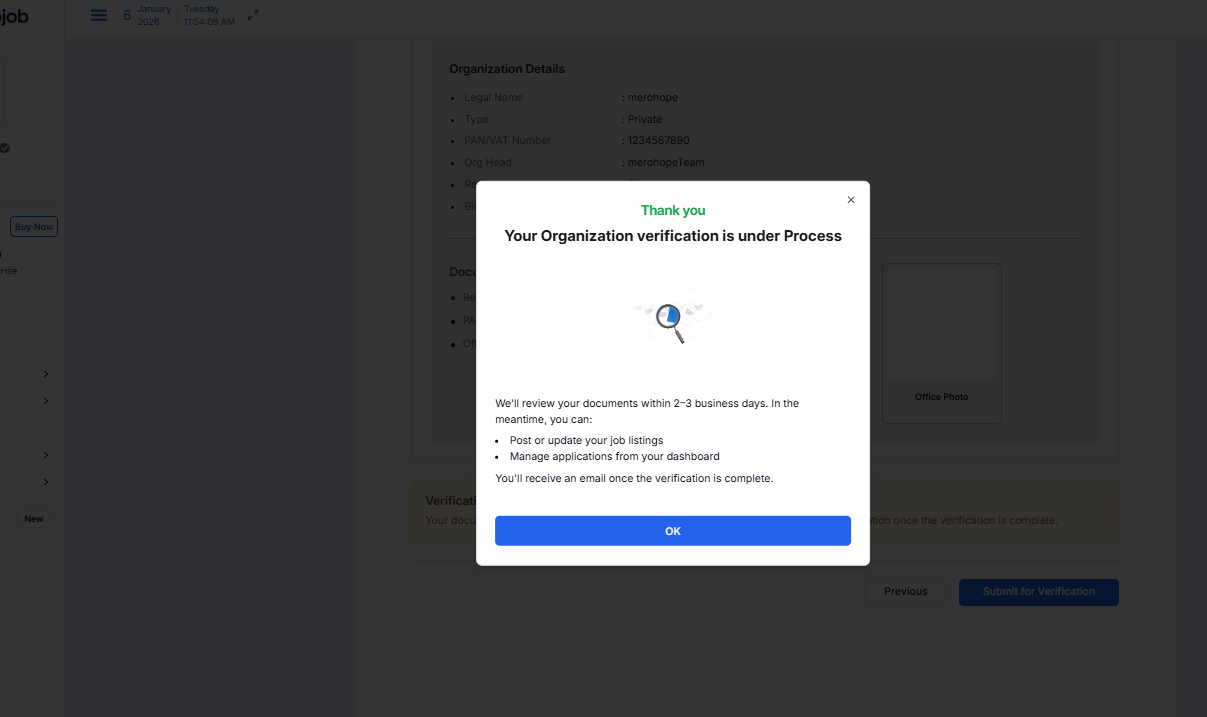
Step 13. Posting a Job on Merojob
When you click the ok button you redirect to this page. On the top right Recruit Now button click here and you see two options.

Step 14: Basic Job Information
If you choose the Post Job option click Post job and you redirect to this popup where you need to enter.
- Job position,
- Job Level,
- Req No of Employees
- Job Category
Click Save.
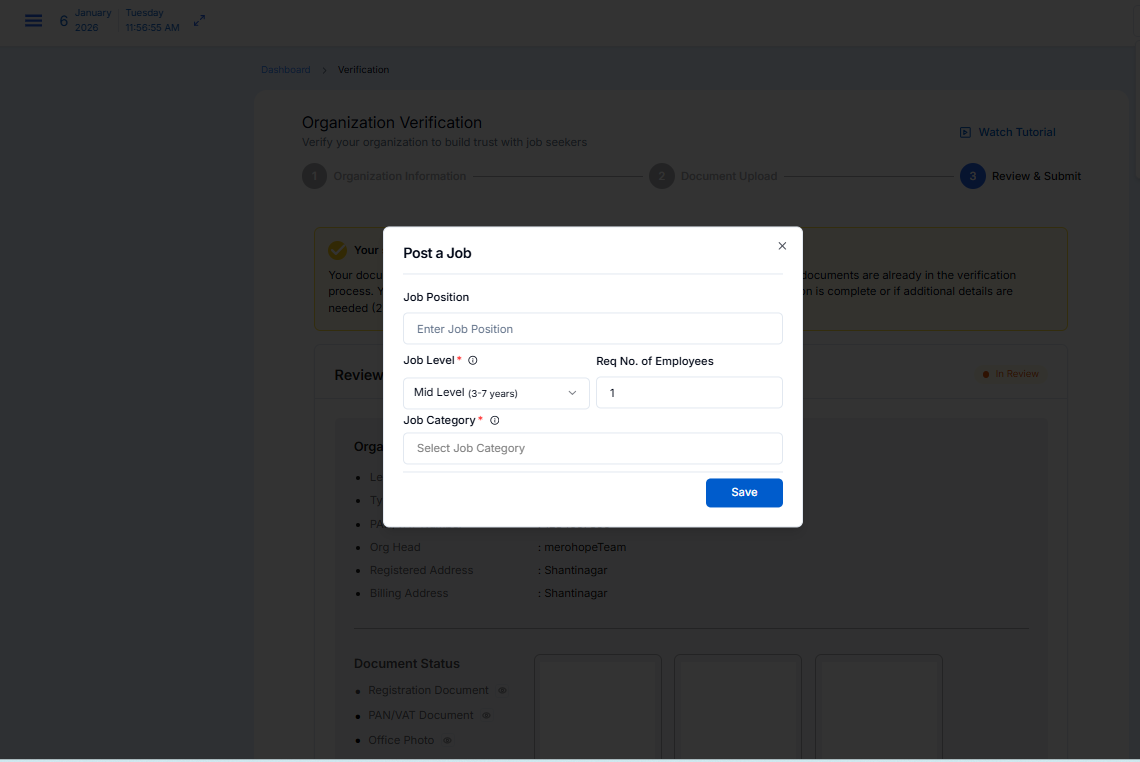
Step 15: Complete Job Description
When you click the save button you redirect to the Job post page where you need to fill in all the required.
- Job Position
- Req No. of Employees
- Job Category, Sub Category
- Job Level, Job Type
- Job Location, City Area
- Salary & Description
- Save & Continue
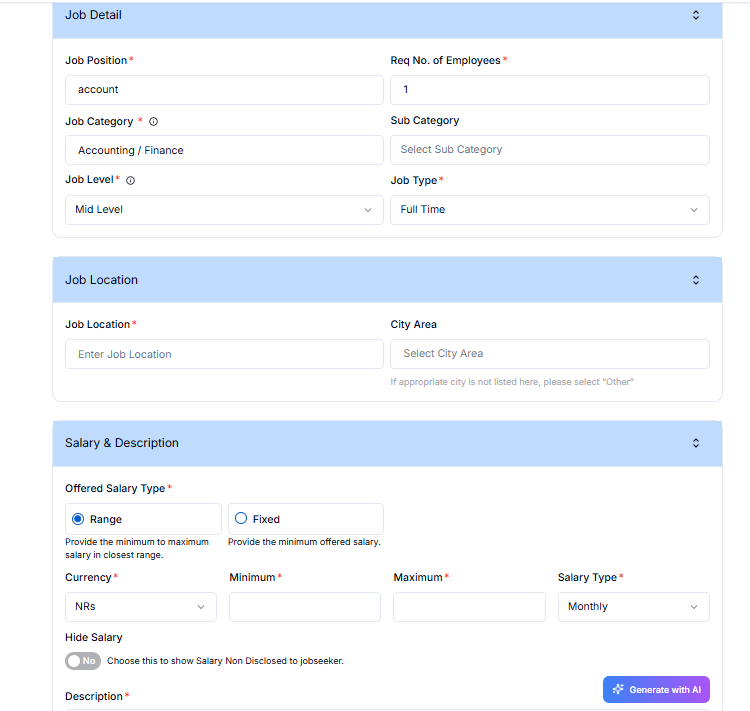
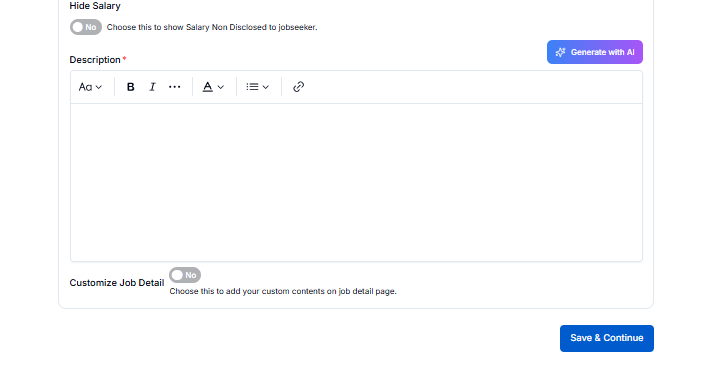
In the description option you need to fill your requirement details.
- Manually enter job requirements,
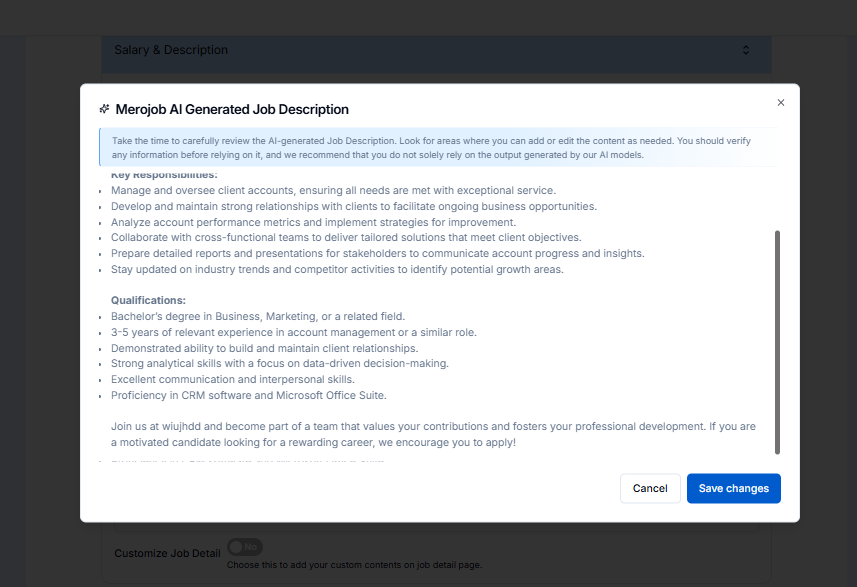
- or you can Click Generate AI Description to automatically create a job description
- Review the generated content
- Now you can edit the description as per your requirement
- Click Save & Continue
Step 16: Additional Job Details
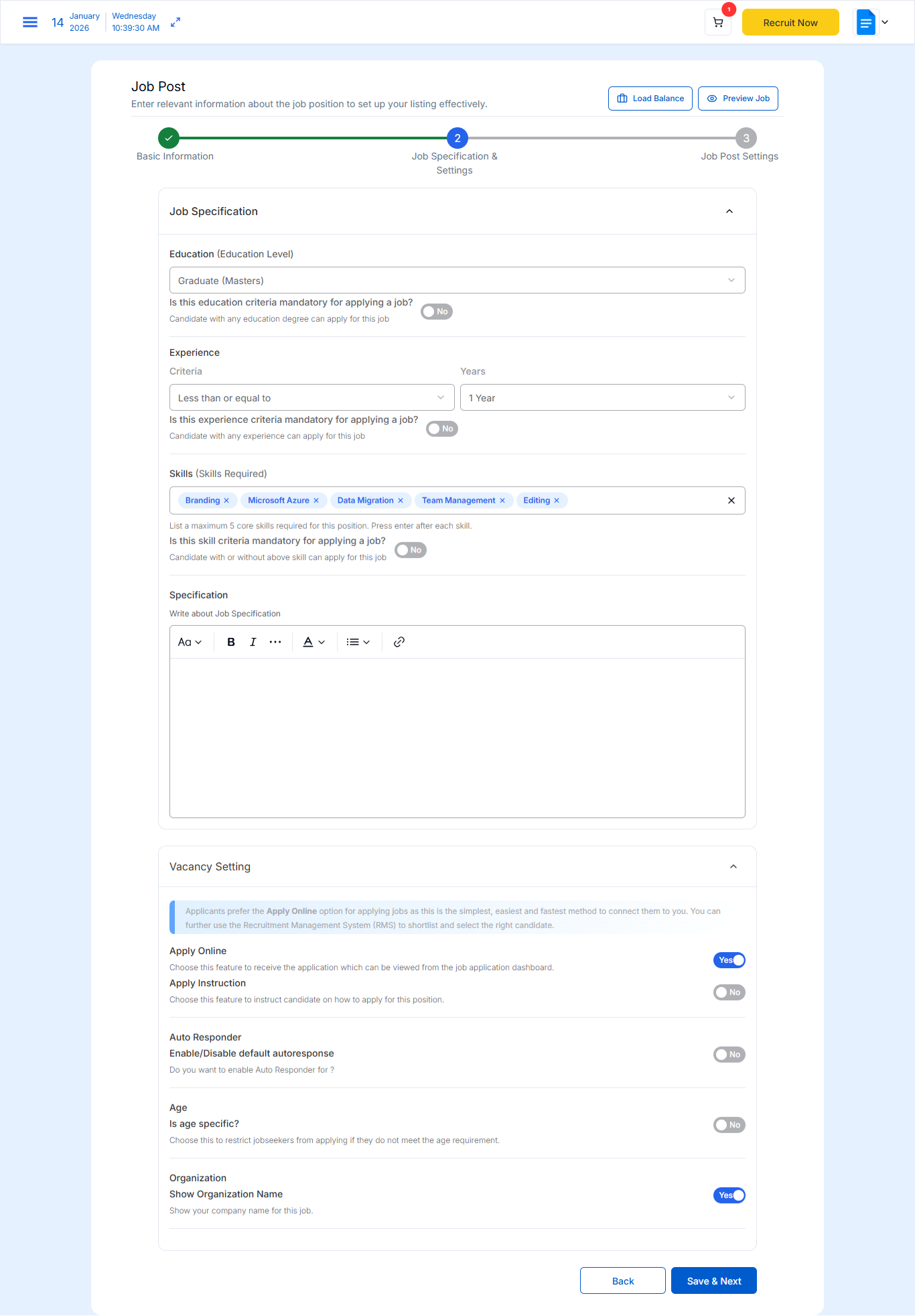
After Save you need to set some other details.
- Job Specification
- Education (Education Level)
- Experience Criteria
- Skills (Skills Required)
- Job Specification
- Vacancy Setting
- Apply Instruction
- Auto Responder
Save & Next
Step 17: Select Job Service & Package
When you click save next button you redirect to this Job Post form where you choose.
- Job Service Type
- Package (Top Job / Hot Job)
- Application Questions (optional)
- Upload company logo or banner (if required)
Click Submit.
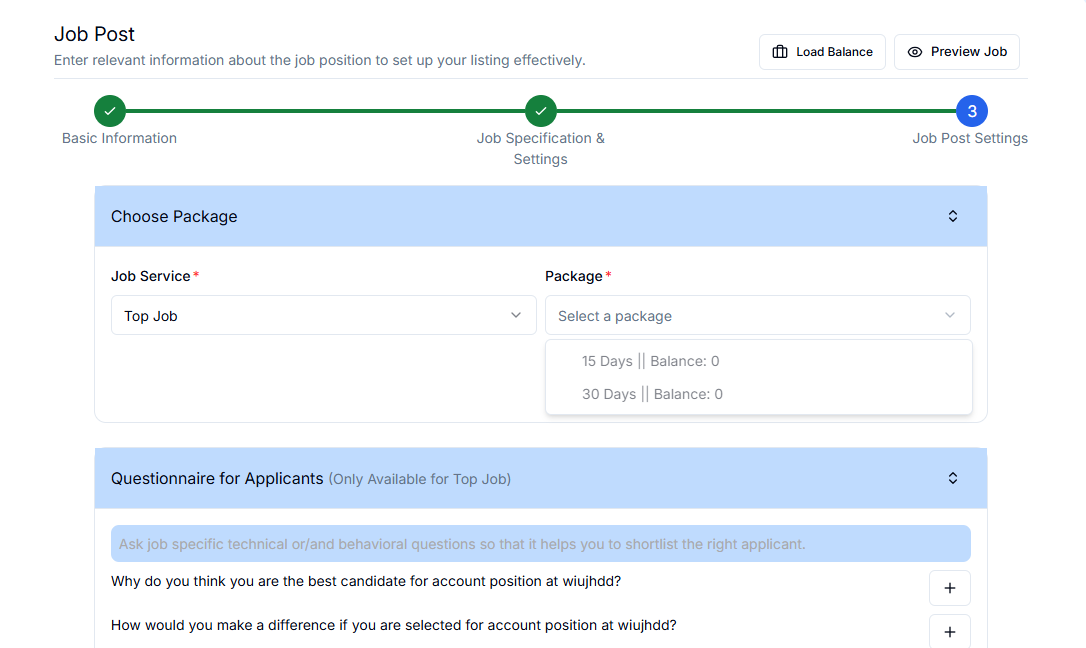
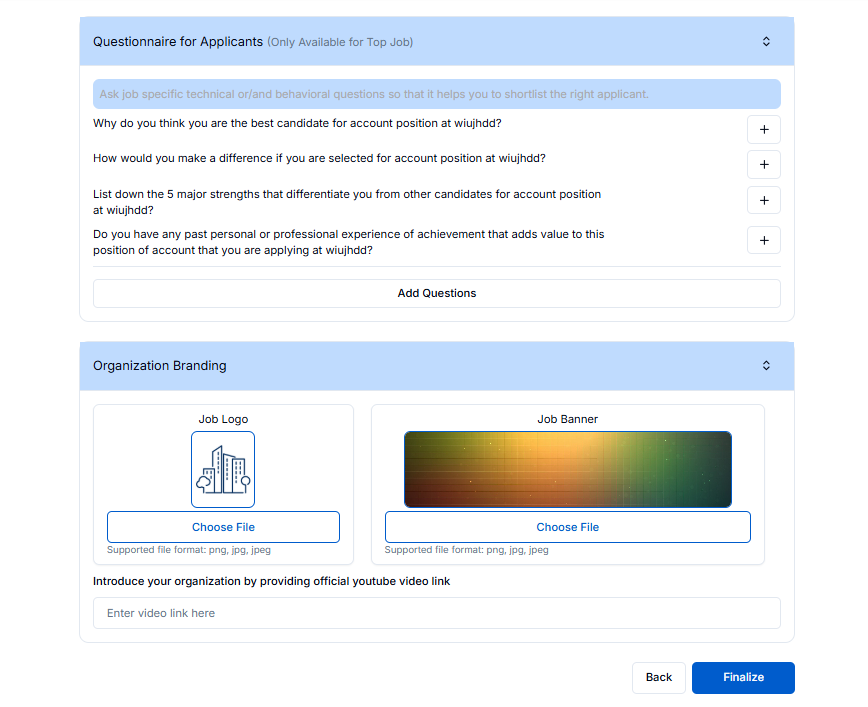
If you see this error means you don't buy our package so you need to pay.

Step 18: Purchasing a Job Posting Package
In the top right corner you see the Load Balance Button click there and you redirect to the Job Posting Plan page where you can.
- Choose Top Job or Hot Job plans
- Purchase Insta Hire plans if needed
Select a plan based on your hiring requirement.
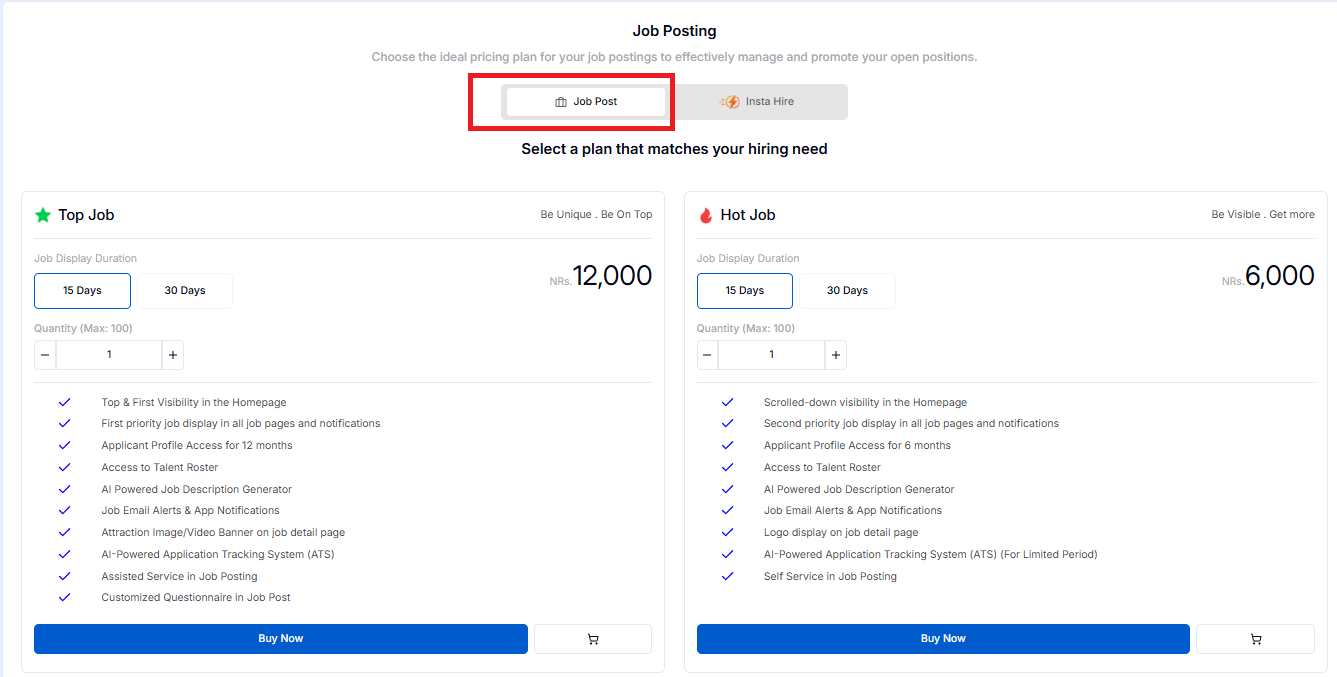
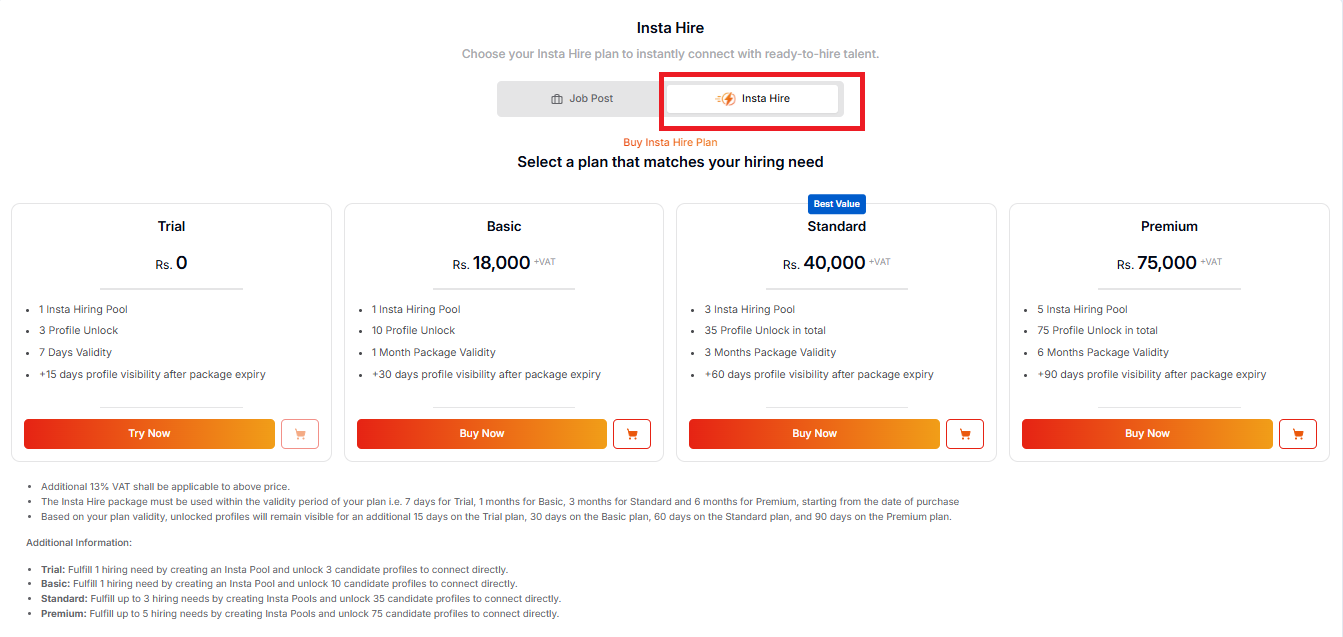
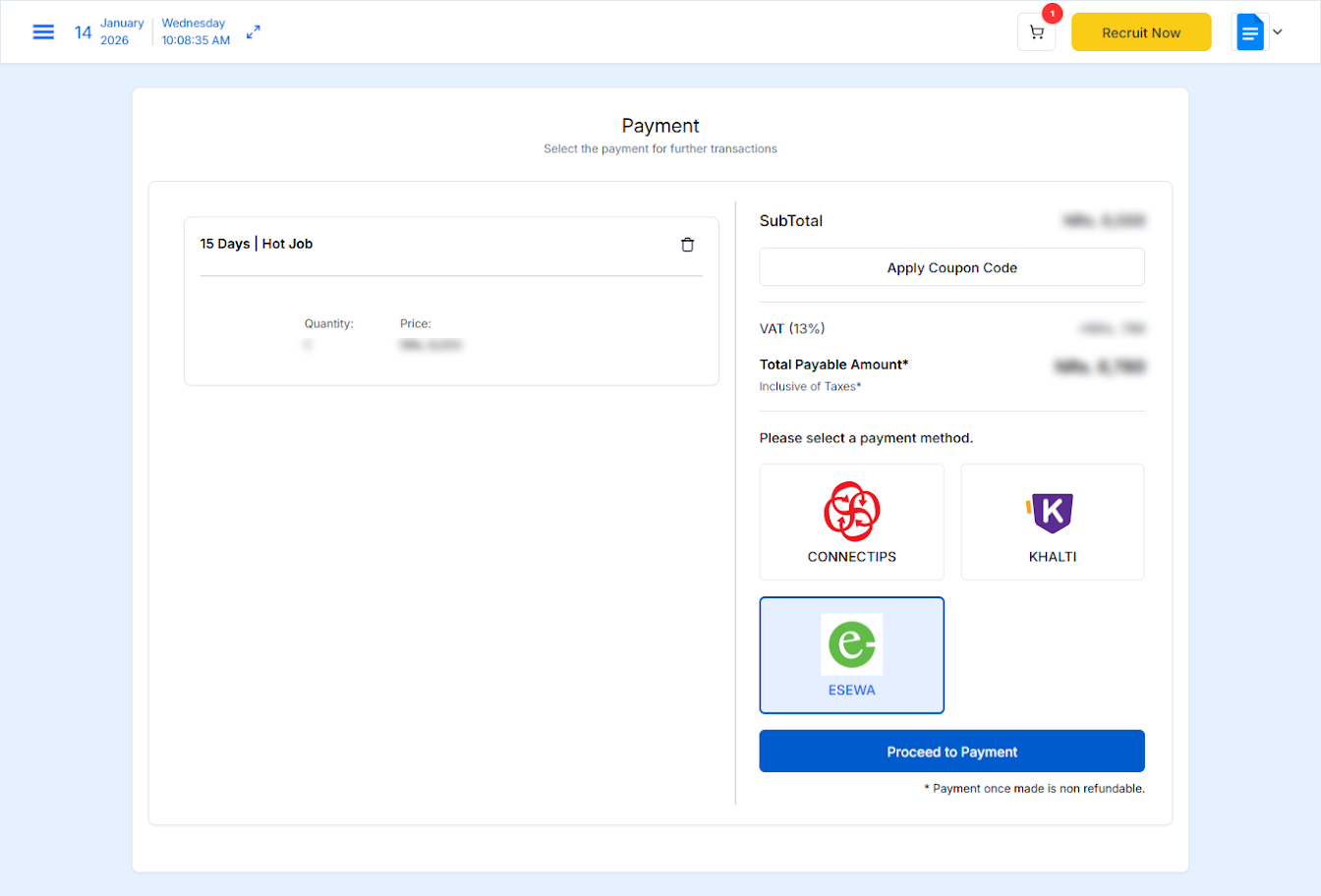
Step 19: Make Payment
Complete the payment using one of the available methods:
After successful payment, you can post jobs and start recruiting candidates.
Conclusion
Registering as an Employer on merojob is an effective and reliable way to simplify your hiring process and connect with the best talent across Nepal. From employer registration and company profile completion to organization verification, job posting, Merojob provides a comprehensive recruitment solution designed to meet the needs of modern employers.
With the help of this step-by-step guide, you can feel confident about using the powerful features of MeroJob, flexible posting options like Top Job and Hot Job, such as the AI-based job descriptions, and multiple payment options. These features can enable organizations to save time, improve job advertisement, and easily attract the right candidates.
Whether it be recruitment for individual vacancies or mass recruitment, Merojob assists and enables employers in creating a strong recruitment presence and making smart recruitment decisions. Begin creating your Employer account now and move ahead towards hiring the best talent to expand and grow your organization successfully.