Merojob puts in immense efforts to make job searching an easy and effective experience for you. Our website is designed to be as user-friendly as possible, and we are continuously looking for ways to improve even more.To start your job search, you need to first register and create free merojob profile, which should take less than a minute. You can register with your personal email address and upon verification, you’re registered with merojob.
When you register, you have to create your profile for further process. Here are eight sections of profile explained in details to help you better showcase yourself and your requirements. We recommend that you follow this guide simultaneously as you are filling up your profile.
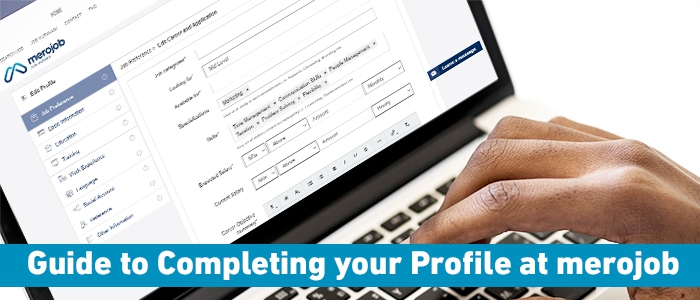
1. Job Preference: In this section, you are required to give details on the kind of job you are looking for:
- Job categories: Mention your preferred job categories. You can put in more than one category if you are open to options. However, don’t put in categories that you are unqualified for, as this will only be time wasting and too long.
- Looking for: Here, you specify the level in which you want to enter in an organization. If you are just beginning your career in the field, put in entry level. With a bit of experience, you can apply for mid-level, and so on.
- Available for: Full time means 48hrs per week (8hrs/day). Part time usually means less than 30hrs per week and contract refers to working for a certain amount of time, usually on a specific project. Specify your availability accordingly.
- Specializations: Mention your field of study or specific subjects or courses that you have undertaken.
- Expected Salary: Mention the salary that you are expecting. While it is essential that you ask for what you deserve, don’t put in very high salary expectations as this will only turn off employers. Its best to put in a reasonable expectation and you can always negotiate for more in interviews, if the situation allows.
- Career Objective Summary: This is the first thing that appears in your resume when employers go through them, so be sure to write a professional career objective. However, keep it short and to the point.
- Job Preference Location: Clearly mentioning preferred location in your profile is impactful. Choosing the preferred location can be important to customize and optimize your job search results.
2. Basic information: Provide basic information about yourself
- Name: Mention your full name as it appears in your legal documents.
- Gender: Here, you specify your gender.
- Date of birth: Your date of birth must be same as it appears in your legal documents.
- Marital status: You need to mention whether you are married or not under this section.
- Religion: Here you specify the religion you follow.
- Has any form of disability: Tick this if you are disabled in any way, and mention the nature of it. (most disabilities don’t affect your employability)
- Nationality: Mention your nationality as it appears in your legal documents.
- Current address: This refers to the location you are currently staying.
- Permanent address: This refers to your permanent address which can be your current address.
- Contact no: Specify your contact number. It can be your mobile number, home or office number. This mobile number should be accessible as it’s possible that you might get calls and alerts in the same number from merojob or employers.
- Display picture: Be sure to upload a photo of you as employers are more likely to approach you. Although, be careful to put one that looks professional.
3. Education: Provide all your academic information in this section. Choose your degree from the provided list of options, and then fill in your education program, board and name of institute. Also specify your marks and year of graduation. To add another education programme simply click on “add another education” and follow the same. Be sure to add your latest education degree first. If you are still currently studying, check the “currently studying here” box in your latest education programme.
4. Training: If you have received any extra training in any field, click on add training and fill in the details. If you haven’t received any training, just leave the whole section blank.
5. Work experience: In this section provide details about where you have worked before. Internships, part-times or voluntary work also counts. Also specify your duties, responsibilities and achievements in detail, as this will be one section that employers will be most interested in.However, if you haven’t worked anywhere before, it’s still all right. Everyone starts somewhere, and there are plenty of opportunities.
6. Language: Add all the languages you know and rate them in terms how fluent you are in reading, writing, speaking and listening.
7. Social Account: Provide links to the social accounts that you hold- Facebook, LinkedIn, Instagram etc. Specify the social account and paste your profile URL.
Tip: Be sure to remove any compromising photos or posts that might be harmful to your job eligibility, as employers are increasingly screening job seekers via social accounts.
8. Reference: If anyone can verify that you would make a good employee, you can add his or her reference for added value to your profile.
9. Other Information: In this section, simply select yes or no for the questions provided in it. The questions are based primarily on how easy you are able to travel outside for work, or commute to work.
Remember completing your profile is very important as it is your resume. Once your profile is complete, you can:
- Apply for jobs
- Download your Resume
- Request job alerts, which will notify you of job postings that may interest you;
- Monitor the status of your job applications.
Note: You only have to create your profile once. You can update your profile at any time by logging in. Remember your user name and password; you will need them to log into your profile in the future.