merojob_logo

Frequently asked questions

Have questions? We're here to help.

How to use Merojob AI ATS?
Views: 508

Following are the instructions on how to use  Merojob AI ATS:

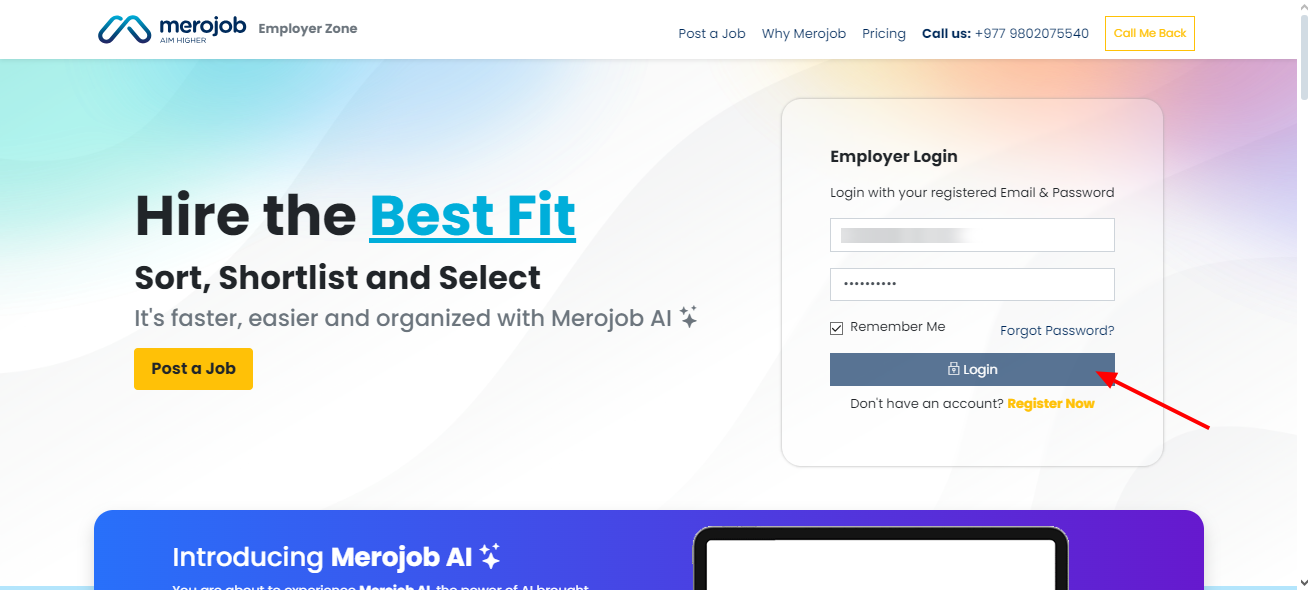
  1. Log into the Employer’s page 


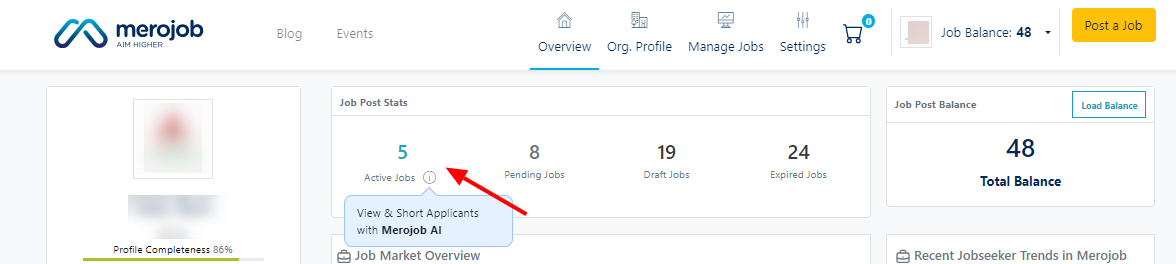
  • Go to the 'Active Jobs' section on your profile.


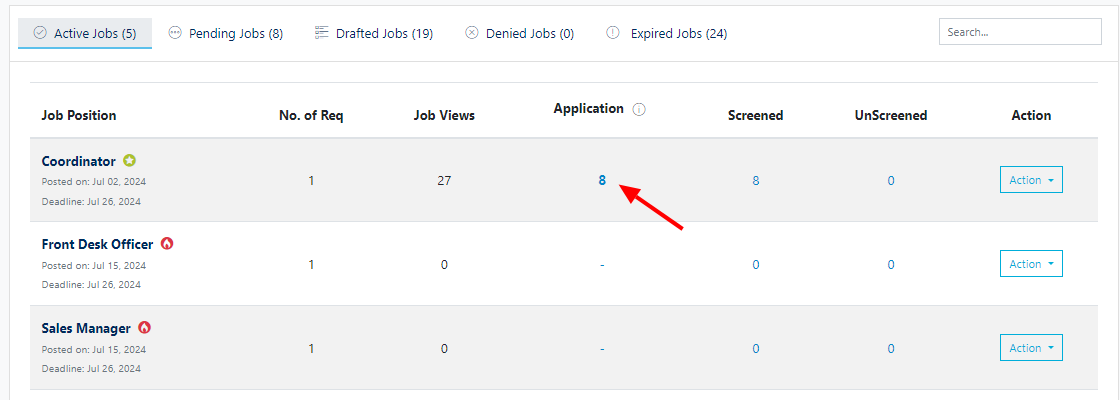
  1. Look for the job post you want the applicants to be sorted for.

  2. Click on the 'applications' of the job post.


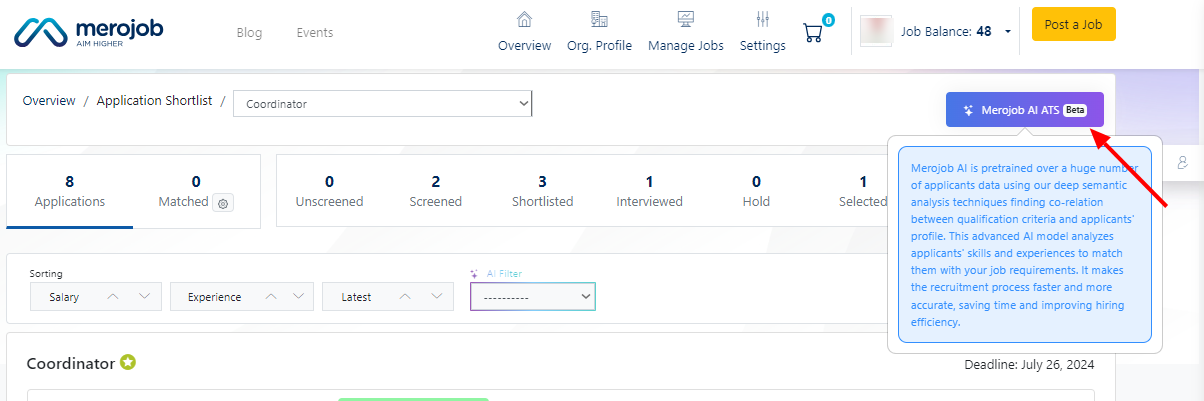
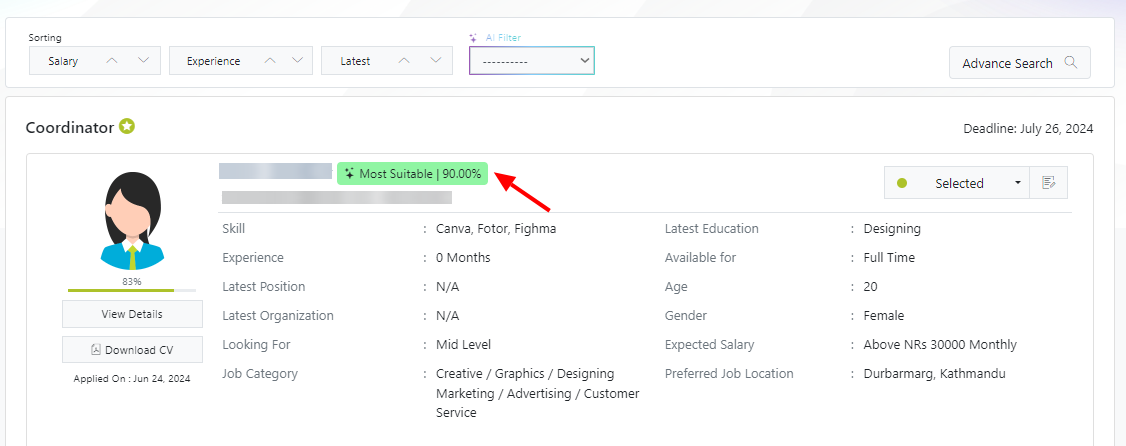
  1. Click on the Merojob AI ATS to sort out the candidates from Most Probable Fit, Good Fit, and Probable Fit.


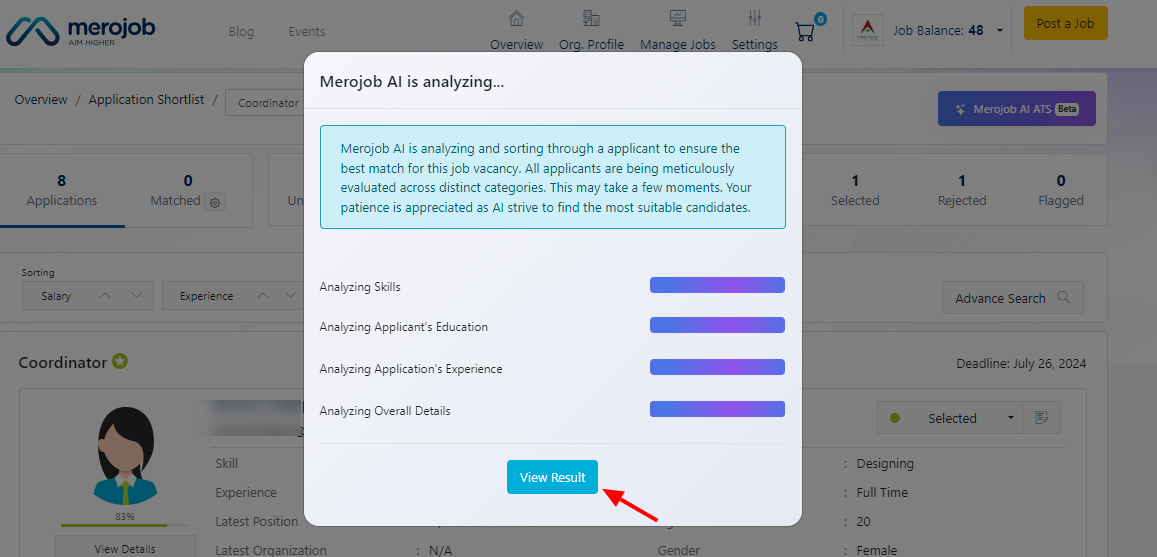
  1. Wait for the AI to Analyze the result. Then, click on the 'view results' button.


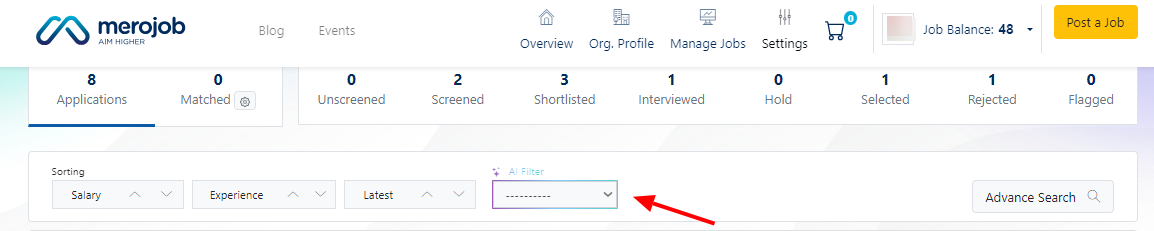
  1. You can also use the filter to manage the sorted candidates accordingly.


Was this answer helpful?
0
Can't find what you're looking for? Contact Support
Since its inception in 2009, Merojob has been at the forefront of connecting job seekers and employers in Nepal. The goal is to provide a comprehensive platform for job seekers to find jobs in Nepal and for employers to find the right fit for their organization. We pride ourselves on being a reliable bridge between hiring employers and job seekers and have established ourselves as a national leader in recruitment solutions.Read more...

FOR JOBSEEKER

CONTACT US

mj-icon-logo
Terms|Privacy|© 2026 All Rights withmerojob