
Frequently asked questions
Have questions? We're here to help.
Have questions? We're here to help.
First, log in to your merojob employer account using your credentials.
Once logged in, go to the "Overview" tab, which is typically located in the dashboard or main menu. In the "Overview" section, you will find an option called "Load Balance."
Click on it to proceed.

You will be presented with two posting options: "Top Jobs" and "Hot Jobs."
Choose the display duration you prefer for your job posts. This is the period during which your job openings will be visible on the merojob homepage.
Add the number of job posts you would want to post on merojob.
Then you will be presented with two options either "Buy Now" to load the balance or "Add to Cart."

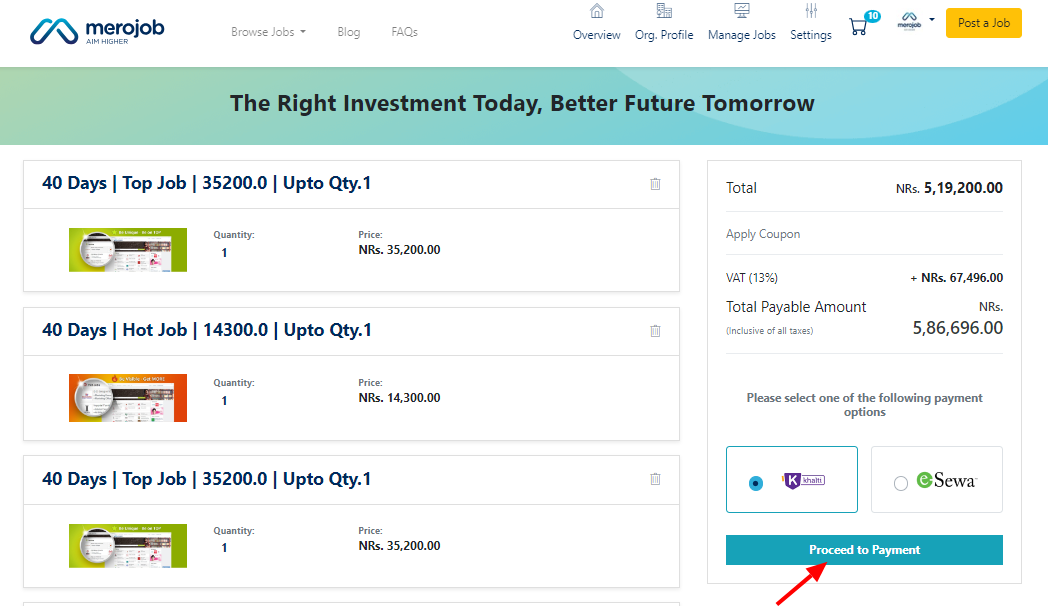
If you decide to Buy Now select any one of the payment options, and proceed to pay.
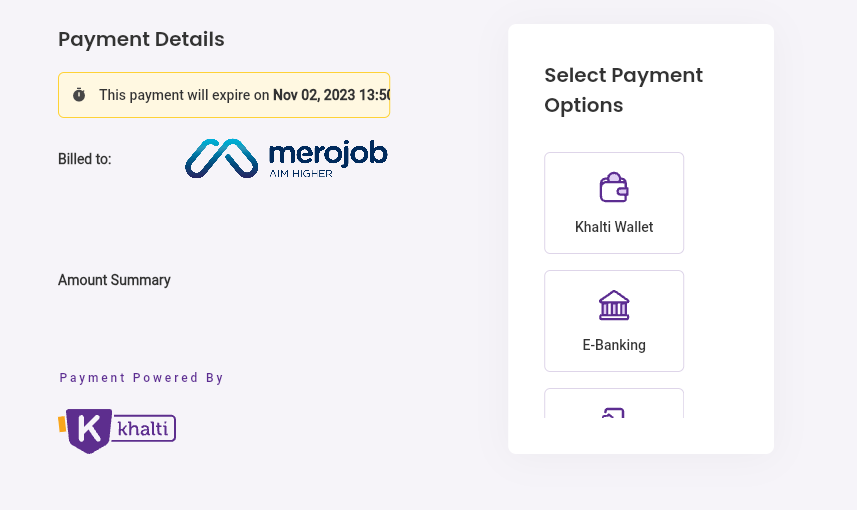
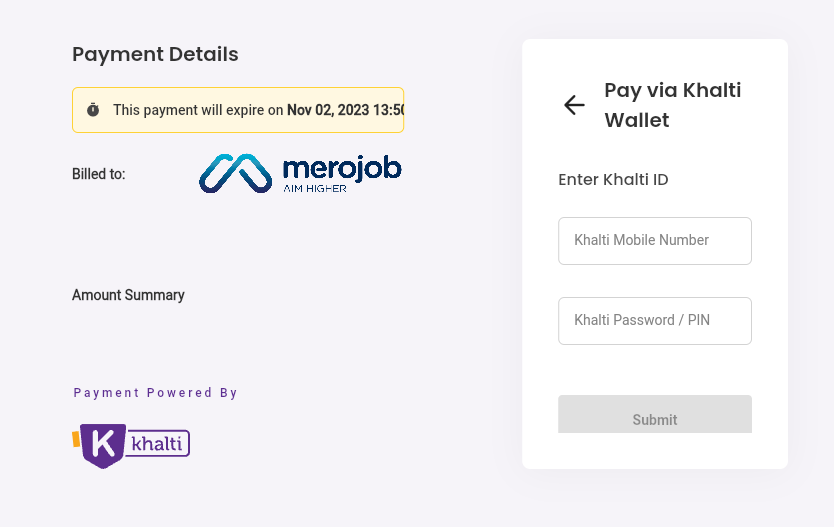
Check the payment details and select the payment option and enter your credentials and submit.
If you decide to Add to Cart, click on the Cart Icon to see your total items.

