
Frequently asked questions
Have questions? We're here to help.
Have questions? We're here to help.
Log into Your Employer Account using your credentials.

Click on the "Organization Profile" section.

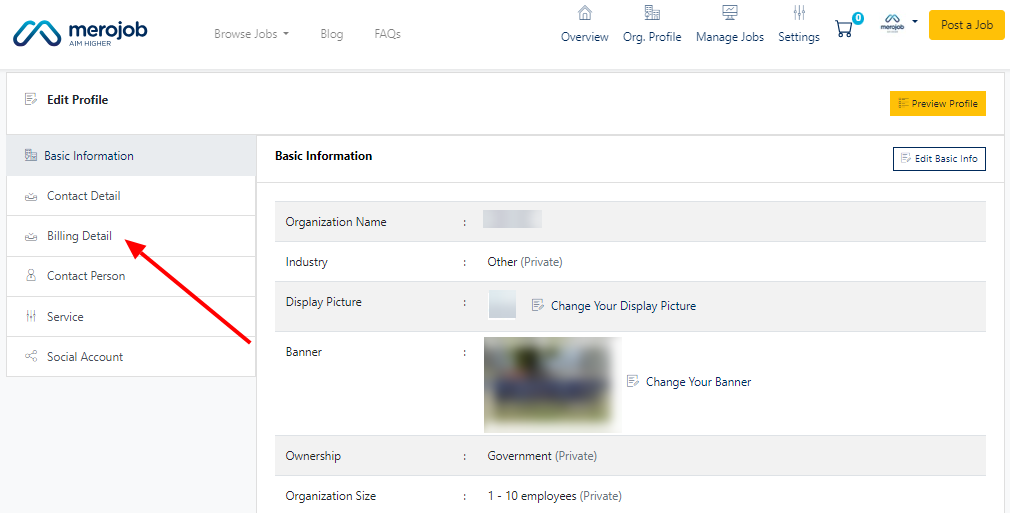
Within the Organization Profile, find and click on the "Edit Profile" option.

Look for the "Billing Details" section.
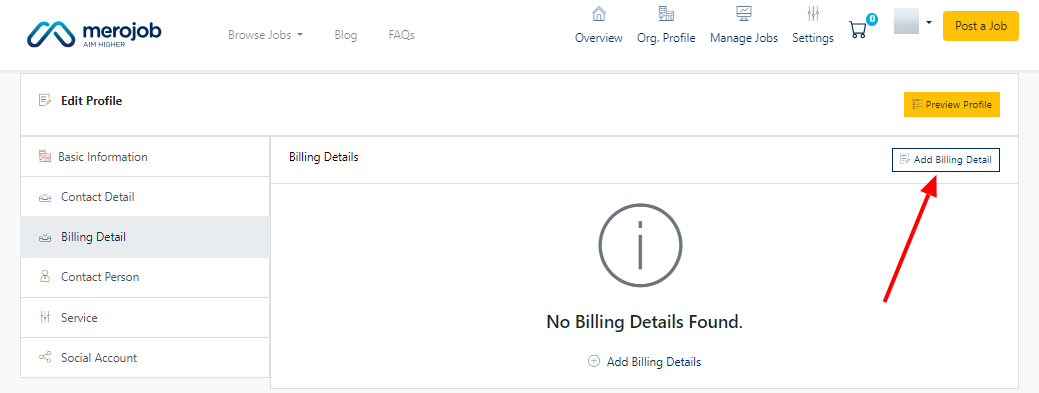
Click on the "Add Billing Details" option to input new information.
Fill in essential details such as your Organization Name, Billing Address, PAN/VAT Number, and Contact Number.
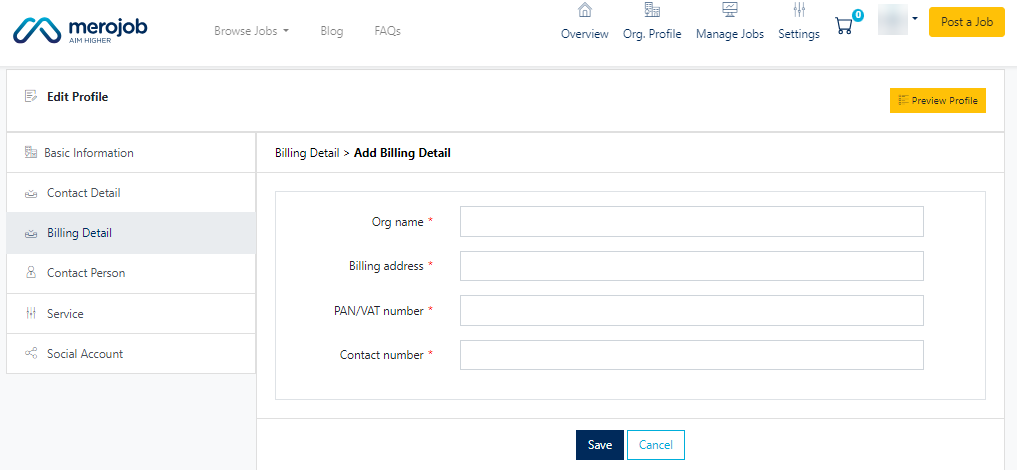
After entering the required information, save the changes to update your billing details.
By following these steps, you can efficiently update your billing information.
