
Frequently asked questions
Have questions? We're here to help.
Have questions? We're here to help.
If you forgot your password and to retrieve it follow these steps:
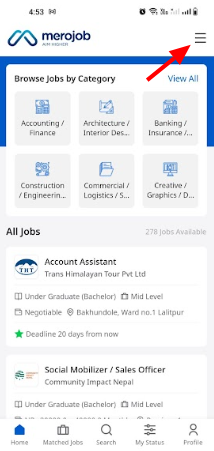
Open your merojob app on your mobile device and tap the menu icon.
A pop-up will appear, then select the "Login" option.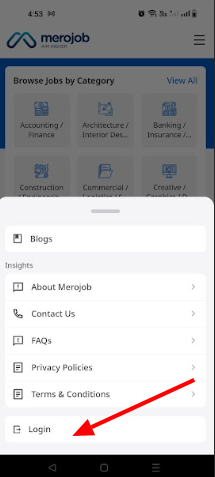
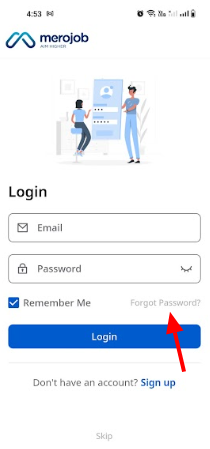
On the login screen, click on forgot password located below the Password entry field.
Enter your email address and reset your password.
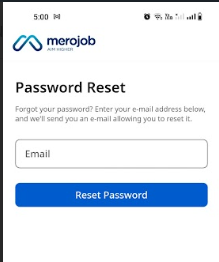
A verification link will be sent to your provided email address. Click on this link.
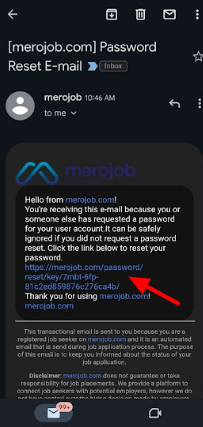
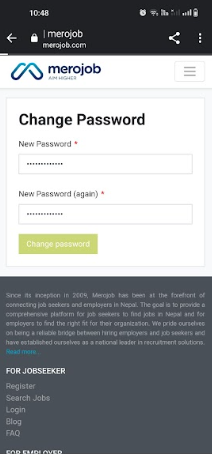
Once you've clicked the verification link, you'll be directed to a page where you can set a new password for your Merojob account.
Download merojob app:
Android: https://play.google.com/store/apps/details?id=com.merojob.merojobapp
